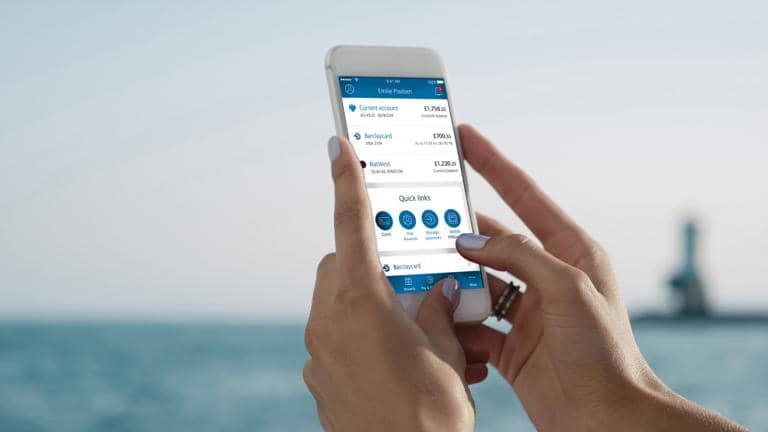
How to use Mobile Banking Text Alerts
Getting started
To get started with Text Alerts you will need to register for the service.
- If you’re a Barclays customer, you can register for Text Alerts over the phone or in Online Banking. Customers wanting to register for Text Alerts via Online Banking must be registered for PINSentry.
- You will need a mobile phone registered with a UK network operator. We are unable to send a text message to a fixed-line telephone, a personal computer or a ‘virtual’ phone number beginning with ‘07'.
To register in Online Banking, select Manage Text Alerts once you've logged in and follow the simple instructions from there. Your service will be working within 48 hours. Once you’re up and running, you can go back to Manage Text Alerts if you want to change, suspend or cancel the service.
Mobile Banking Text Alerts Service
Additional Conditions
These additional conditions relate to the SMS Alert and Notification Service and supplement and amend the general conditions of your Customer Agreement with us (Barclays Bank PLC). In the event of any inconsistency between these additional conditions and the general conditions of the Customer Agreement, these terms will apply in relation to the SMS Alert and Notification Service (the 'service').
1. GENERAL SERVICE PROVISION
1.1 The provision of this service involves our sending you text notifications and alerts including information about your current accounts through your mobile phone. These text based services are explained in conditions 4, 5, 6, 7, 8 and 9 and include:
(a) Weekly Balance and Mini Statement Alert;
(b) Near Limit Alert;
(c) Large Debit Alert;
(d) Large Credit Alert;
(e) Online Statement Alert; and
(f) Non UK Debit Alert.
Visit www.barclays.co.uk/textalerts for details of alerts available to you.
1.2 Any and all information supplied under this service is additional to and does not replace the information we make available to you in accordance with the Customer Agreement.
1.3 To be eligible for text notifications and alerts, you must hold a Barclays current account. You can register online, over the phone or via any Barclays branch. Text notifications are only available if you hold an account where authorisation from any one of the authorised signatories on the account is required, they are not available if you require authorisation by all or more than one of the authorised signatories on the account for it to be operated. To register online you must have full Online Banking access, you are unable to register if you have Third Party Access or Limited Access.
1.4 We will only allow you to register one mobile number with us at any time. This will apply to all of your accounts. However, joint account holders/multiple users to one account, may each register for text notifications and alerts and receive information about the joint account/business account and their other accounts. If you are registered to receive text notifications and alerts about more than one account you will be asked to use a reference of up to five characters to differentiate between the accounts.
1.5 We will send information about your current accounts, including those in joint names, to a mobile phone registered with a United Kingdom (UK) network operator. We are unable to send a text message to a fixed-line telephone, a computer capable of receiving text messages or a 'virtual’ mobile phone number beginning with '07'.
1.6 With the exception of those text messages set out in clause 1.7, text messages will be sent Tuesday to Saturday based on transactions and your balance at close of business the previous working day. For the purposes of these conditions, working day means Monday to Friday (excluding public holidays and weekends). No text messages will be sent Sundays and Mondays.
1.7 Barclays Business customers who have registered for a Near Limit Alert will also be registered to receive a paid referral fee alert ('PRF alert'). Text messages relating to PRF alerts will be sent Monday to Friday based on transactions and your balance at close of business the previous working day. No messages relating to PRF alerts will be sent Saturdays and Sundays.
1.8 We will only send you each text once. If you delete a text we cannot send it again.
1.9 We will start sending text notifications and alerts within 48 hours of first registration for the service.
1.10 You can ask us to temporarily suspend your alerts and notifications at any time online over the phone or in any Barclays branch. Suspension will apply to the text alert service for all your accounts. Text notifications and alerts will cease within 24 hours of suspension.
1.11 Texts will normally be sent between 7:30am and 9:00am (please see section 9 General Provisions). Account balances and information will be based on information up to the close of business on the previous working day.
1.12 You can change the alert settings of your service in any Barclays branch, over the phone or in Online Banking using PINSentry.
1.13 Text messages sent using this service will not include your account details or other personal information.
2. CHARGING
2.1 All messages are currently free but we may apply or introduce new charges on 2 months' personal notice.
2.2 You will be responsible for charges made by your mobile phone operator, so ensure you check with them about any charges that could apply.
3. CANCELLATION
3.1 If you wish to stop receiving text notifications and alerts you will need to cancel your registration for text notifications and alerts. This can be done through Online Banking, the Online Banking application on your phone, by phoning Barclays or by walking into any Barclays branch.
3.2 We can decide to withdraw the service by giving you at least two months’ notice in writing. We can decide to withdraw the service with immediate effect without prior notice to comply with the law, to protect security or to combat fraud or on any ground as set out in the Customer Agreement.
4. WEEKLY BALANCE AND MINI STATEMENT ALERT
4.1 If you register to receive Weekly Balance and Mini Statement Alert, we will send you a weekly text on a day specified by you showing the account balance and up to the last 5 transactions on the account. The date and amount of the transaction, reference and our standard 3-letter abbreviation for the transaction type (ie, STO/DDR/BGC etc) will be provided. In cases where the abbreviation is not available the transaction debit or credit abbreviations (DR/CR) will be provided.
4.2 The account information is based on transactions and closing balance from the previous working day.
5. NEAR LIMIT ALERTS
5.1 If you register to receive Near Limit Alerts you will be asked to specify an in credit or overdrawn limit against which a text will be triggered. The alert will be triggered when the account balance is equal to or less than the limit specified for each account registered to receive the Near Limit Alert service. The account information is based on the previous working day.
5.2 We will send you 1 text, based on the previous day's account information, where your account balance is equal to or less than your specified limit. Additional texts will not be sent unless your account balance changes and your balance remains below the limit specified.
6. LARGE DEBIT AND LARGE CREDIT ALERTS
6.1 If you register to receive Large Credit and/or Large Debit Alerts you will be asked to specify the limit(s) at which a text will be triggered (minimum £150). If a transaction equal to or greater than the Large Credit or Large Debit limit is credited or debited to the account during the previous working day, a text message will be generated on the next day as set out in Condition 1.6.
6.2 The date, time and amount of the transaction, reference and our standard three letter abbreviation for the transaction type (ie, STO/DDR/BGC etc) will be provided. In cases where the abbreviation is not available the transaction debit or credit abbreviations (DR/CR) will be provided.
6.3 Multiple Large Credit/Debit alerts may be shown together in a single text.
6.4 Where transactions exceed 160 characters, transactions will be sent across more than 1 text up to and including a maximum of 5 texts.
7. ONLINE STATEMENT ALERT
7.1 If you register to receive the Online Statement Alert we will send you a text to alert you when a new Online Statement is available in Online Banking.
7.2 The Online Statement Alert is only available to customers who have registered for Online Statements through Online Banking.
8. OVERSEAS DEBIT ALERT
8.1 If you register to receive the Overseas Debit Alert we will send you a text to alert you when your Barclays debit card is used to make a payment outside of the UK. For the purpose of this service, Gibraltar, Channel Islands and Isle of Man will be treated as outside the UK.
8.2 The text will be sent between 07:30am and 09:00am if the following transactions are carried out on your account the previous working day.
(a) An ATM withdrawal from an ATM outside of the UK
(b) A point of sale payment either in person or as a card not present transaction to a merchant that is based outside of the UK
(c) An online payment made from the UK to an account outside of the UK
8.3 Overseas Debit Alerts will only be generated for transactions carried out using a debit card issued on your account registered for Overseas Alerts.
8.4 Overseas Debit Alerts will be generated even when you have notified Barclays that you anticipate overseas use of your debit card.
9. OTHER OPERATIONAL NOTIFICATIONS
9.1 If you are registered to receive one or more of the above text alerts, we may from time to time send other operational messages about your account to your registered mobile phone.
10. GENERAL PROVISIONS
10.1 Sometimes repairs, updates and routine maintenance on our systems and those of our suppliers may mean that text notifications and alerts may be unavailable from time to time. We will not be liable if text notifications and alerts are unavailable at any time for reasons that we cannot control or if you do not receive text notifications or alerts for reasons within your control, ie, your phone being switched off, there is no network coverage or you change your phone.
10.2 You are responsible for making sure no one has access to confidential information shown on (or stored in) your mobile phone. If your phone is lost or stolen, or if you change your number or network operator, it is your responsibility to ask us to suspend your text notification and alerts as soon as possible. Otherwise we will continue to provide text notifications and alerts to the mobile number you have registered for the service. We will not be liable if your account information becomes known to someone because you do not notify us or if the registration information you gave us is incorrect.
10.3 If you register for text alerts that we subsequently fail to provide (or we provide text alerts that are inaccurate) we will only be liable for any charges on your account that you could otherwise have avoided paying.
10.4 We may send to you, by post or e-mail, from time to time, information about the service explaining how the service works and any steps that you need to take in relation to the service.
What alerts can I choose from?
We’ve got four different Text Alerts. You can choose any combination you like and tailor those alerts according to your requirements. Note that your alerts will be based on your closing balance and transactions from the previous working day.
- The Weekly Balance and Mini Statement Alert gives you your account balance and details the last five transactions on your account. You choose which day (Tuesday to Saturday) you receive your alert, and you can change that day at any time.
- The Near Limit Alert can help you manage your account balance by notifying you when your account falls below a certain limit. So, for example, you can set a limit of £200 and we will text you an alert if your closing balance is below this limit at the end of the day. Note: If you have debits due to go out of your account, you will need to have sufficient funds in your account before the close of the previous business day.
- Do you want to know when your salary has been paid into your account? With a Large Credit Alert you will receive a text message every time a credit over a certain amount is paid into your account. You can set the alert for any amount above £150. Once the credit has been paid into your account you will receive a Text Alert the next day, providing you with peace of mind.
- You can also keep track of money being paid out of your account with a Large Debit Alert. This works in a similar way to the Large Credit Alert and will send to you a text message when money is taken from your account over a certain amount. The lowest figure you can specify is £150. So, for example, if you want to know when your mortgage or rent has been paid without having to log in to Online Banking or call Telephone Banking, then a Large Debit Alert is perfect for you.
Do I need anything else to get started?
We’ve tried to make Text Alerts as simple to use as possible. You can register for the service in branch, over the phone or in Online Banking. Customers wanting to register for Text Alerts in Online Banking must be registered for PINSentry.
If you’re not sure about anything, we have an extensive FAQ section on Text Alerts. And if you have any concerns about security we’ve got a dedicated security page as well. Finally, you might like to have a look at our illustrated guide on How to read Text Alerts